How to log in to Vertice for the first time
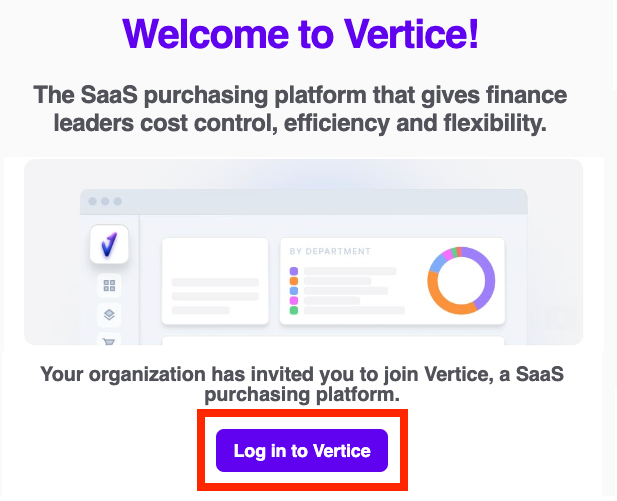
Once your Customer Success Manager has created an account for you, you will receive an invitation to the Vertice platform via email.
In the email, click the Log in to Vertice link. You will be directed to a signup page.
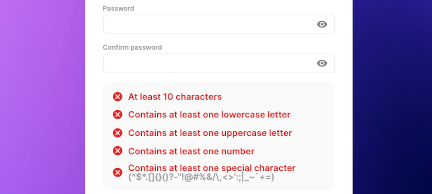
Next, set a password and click Submit.
All done! You can now log in to Vertice.
You should accept the email invitation, set a password and log in to Vertice at your earliest convenience. We are not able to reset your password if the invitation is not accepted.
Help! My invitation has expired and I can't log in
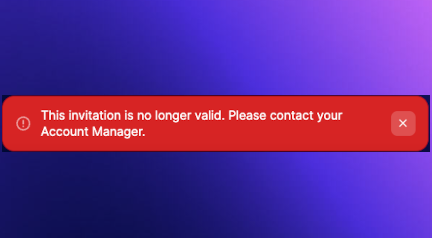
Please note: Invitations expire after 30 days, and a new one will need to be resent. Your Vertice Admin - from your organization - or your Vertice Customer Success Manager can do this for you. Alternatively please drop us a line at support@vertice.one and we'll sort you out.
How to reset your password
If you need to reset your Vertice password, you can request a new one on the login page.
To do this: Click the Forgot password button.

Type your email address, then click the Send code button.
Note: Keep this window open, you'll need it in a second.
You will receive a one time verification code via email.
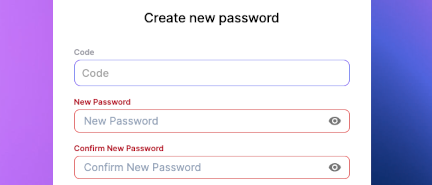
Enter the verification code and choose a new password. Click Submit.
Note: If you sign in to Vertice via SSO, please reach out to your IT/Systems Admin to reset your password instead.
How to create a HAR file for Customer Support
For particularly stubborn login issues we may ask for a HAR file.
Follow the steps below to record one to send to us.
Chrome:
Ctrl+Shift+I (or
Cmd+Option+I on Mac).
Safari:
Cmd+Option+I).
Edge:
Ctrl+Shift+I.
Firefox:
Ctrl+Shift+I or Cmd+Option+I on Mac).
User is not assigned to this application
You may be greeted with the following message "User is not assigned to this application"
if you've been set up with a Vertice SSO login, but are yet to be added on your
organisation's side.
In this case you will need to contact your IT department or Vertice Admin, and get them to assign you to the Vertice application. When this has been done, you'll be able to log into Vertice successfully.
How to migrate your SSO users
For Vertice Admin users
Now that SSO is enabled you'll need to migrate all your other users. If this step isn't completed, they won't be able to log in.
To migrate your users:
Note: this step will need to be repeated for every new user to the Vertice platform.
If you are using Okta you can use SCIM to auto-provision new users instead. Contact Vertice Support to enable this for you.